ERPGulf Woo Translator
Introduction
ERPGulf Woo Translator is a WooCommerce translation integration tool designed to help businesses manage multilingual WooCommerce stores efficiently. It simplifies product and content translation while supporting multiple languages within WordPress and WooCommerce environments.
Features
- Multi-language WooCommerce support
- Product translation management
- Translation synchronization
- WooCommerce category and attribute translation
- Stock synchronization support
- Translation helper utilities
- Compatible with WooCommerce and multilingual plugins
- Easy integration with existing WooCommerce stores
Requirements
Before installing the plugin, ensure your system has:
- WordPress installed
- WooCommerce installed and configured
- PHP 7.4 or later
- MySQL/MariaDB database
- Multilingual plugin support if required Recommended:
- Latest WordPress version
- Latest WooCommerce version
Installation
- Upload the plugin folder to
/wp-content/plugins/ - Activate the plugin in WordPress Admin → Plugins
- Go to ERPGulf AI Translate in the admin menu
- Enter your API key for your chosen AI provider
- Select which fields to translate
- Save settings
Initial Setup
After activation:
- Open WordPress Admin.
- Navigate to: WooCommerce → Woo Translator
- Configure:
- Default language
- Secondary languages
- Translation settings
- Synchronization preferences
- Save settings.
Quick Start
Single product
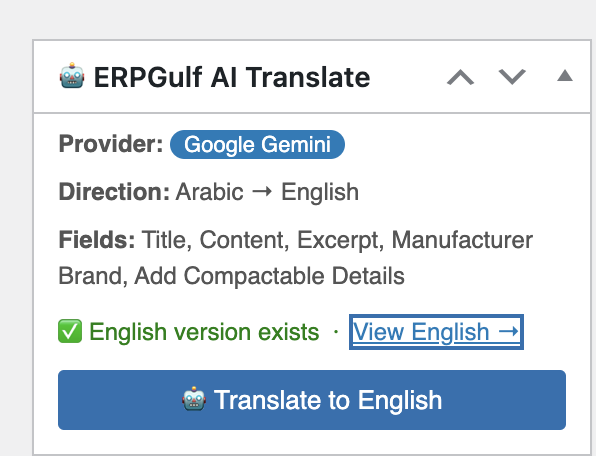
- Open any Arabic product in the WordPress admin
- Find the 🤖 ERPGulf AI Translate box in the right sidebar
- Click Translate to English
- Done — the English product is created or updated automatically
Bulk translate
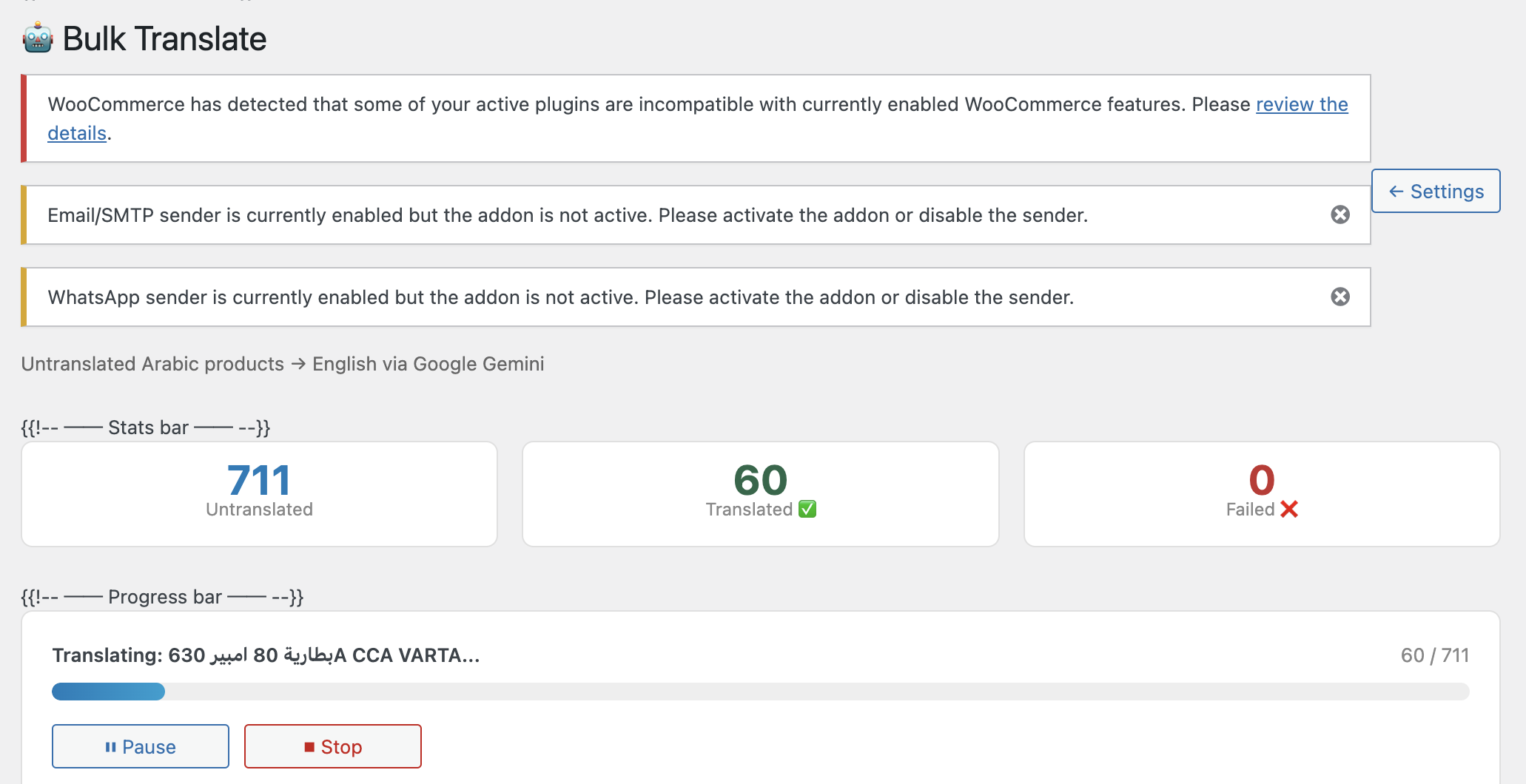
- Go to ERPGulf AI Translate → Bulk Translate
- All untranslated Arabic products are listed with checkboxes
- Select the products you want (Select All is checked by default)
- Click ▶ Start
- Watch the live progress — each product shows ✅ or ❌ as it completes
- Use⏸ Pause or ⏹ Stop at any time
Troubleshooting
Translation not showing?
- Clear cache
- Check language settings
- Verify plugin activation
Categories missing?
- Ensure categories are translated properly